Read More

Salesforce Today

Learn Salesforce Free Here
Read More

Salesforce Today

Explore The world with Salesforce

Friday, August 9, 2019

List Views In Salesforce

What are list views in Salesforce?

List views in Salesforce are the set of search conditions created to extract specific set of records in an object. We can access list views via REST API.

How to create list views in Salesforce?

List views are widely used in any Salesforce organisation. For Standard objects there are some standard list views are available in Salesforce but for custom object we have to create custom list views in Salesforce.com.
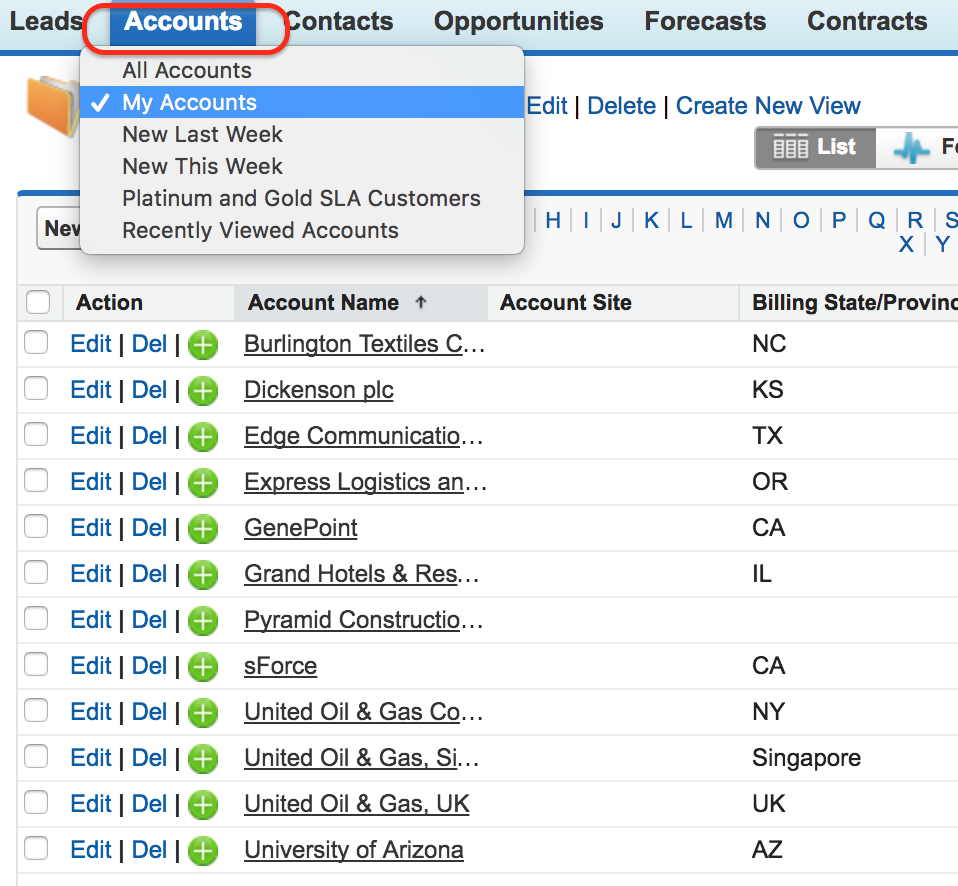
Creating Custom List Views In Salesforce
In this Salesforce tutorial we are creating custom list views for the invoice created in this week. Go to Invoices Tab| Create new view.
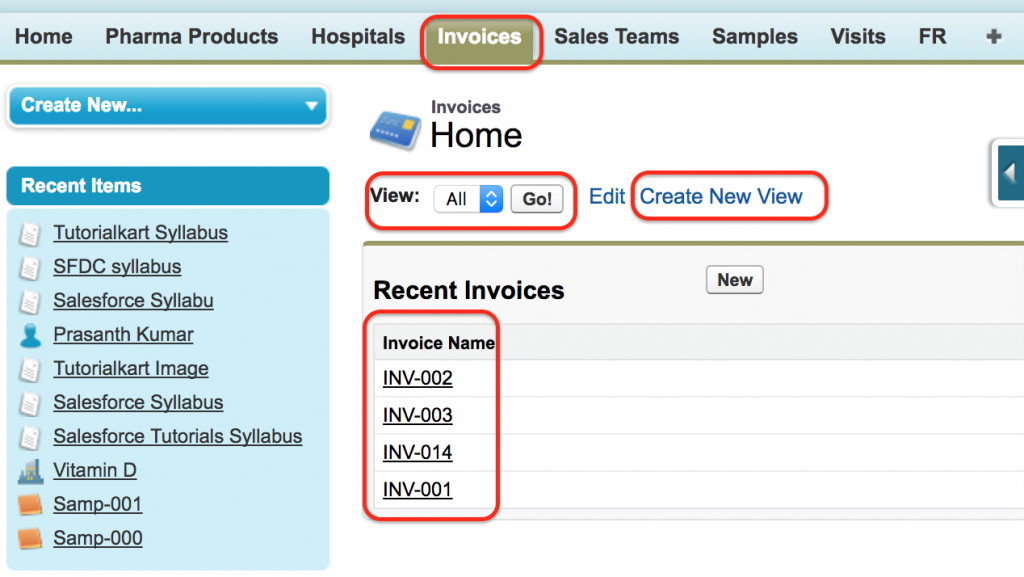
Creating Custom List Views In Salesforce
  • Click on Invoice Tab.
  • Invoice Home page will be opened where for custom object Invoice we don’t have any custom view. The default view is All.
  • When a view is All, it displays all records that are created in Invoices Object.
  • To create New list view in Salesforce click on create New view as shown above.
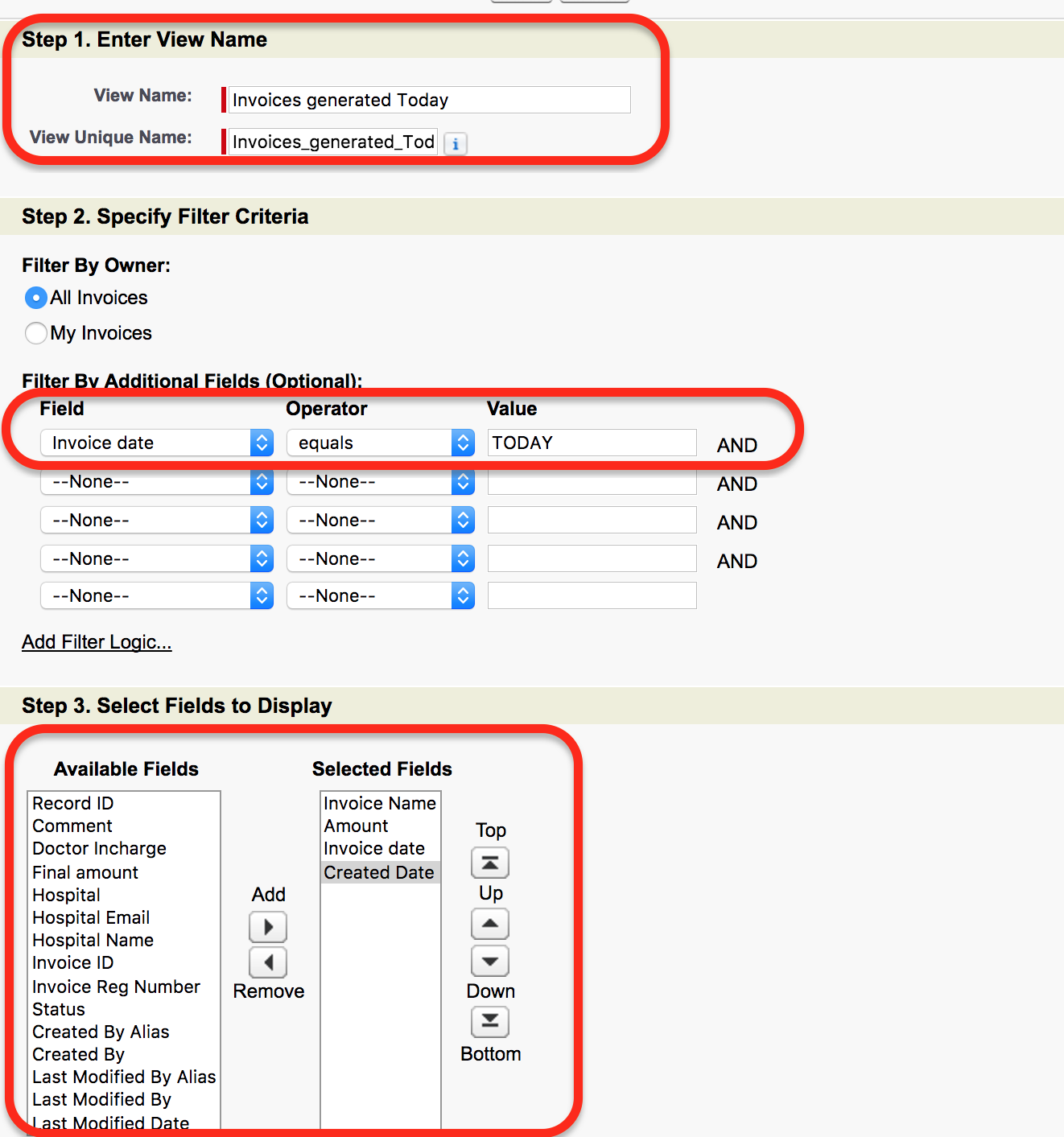
Creating Custom List Views In Salesforce
  1. Enter View name and view unique name.
  2. Ente filter criteria.
In this criteria we are going to extract the records that are created Today. The filter criteria will be as follows.
Step 3: Select Field to display.
In this step we have to select the field that are to be displayed. Select the field from Available field to Selected field using arrow.

Creating Custom List Views In Salesforce
As shown above we have selected Invoice name, Amount, Invoice Date and Created Date fields in Step 3.
Salesforce list view permissions.
We can create and edit permission set list views in Salesforce.com. Permission Sets can be managed using Profiles and Permission Sets
Read More

Thursday, August 8, 2019

Salesforce Record Type

Salesforce record type allows every administrator to configure different page layouts, business processes and picklist values based on the user’s profile.
The significance of Salesforce record type can be understood only when we have different business process defined in an organization.

Steps to implement Salesforce record type.

  1. Create respective page layouts.
  2. Assign appropriate fields to the page layouts.
  3.  Create the record type.
  4. Assign to profiles.
  5. Add corresponding values to picklist.

Creating page layouts for record types.

Record types in Salesforce

Assigning fields to acquisition layout.
Record types in SFDC

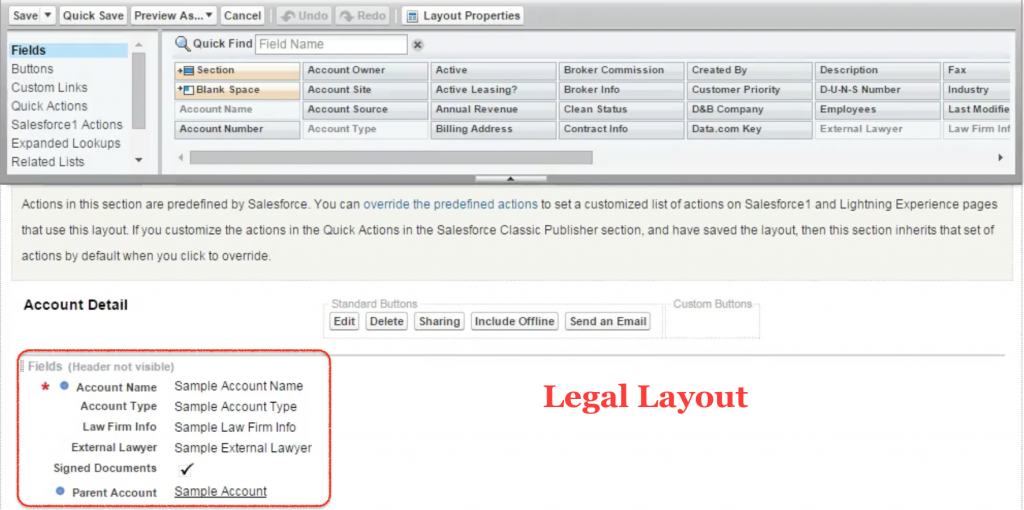
Assigning fields to legal layout.

Salesforce field types

How to create Salesforce record type.


To create Salesforce record type go to Account Object | Record type | New.
  • Click on record on new record type.
Salesforce Record Type | Salesforce Help & Training


  • Enter record label, record type name.
  • Click on active to make it active.
  • Select the profile to which this record type is to be visible.
Here we creating record type for acquisition team so we are enabled for only acquisition profile only.
  • Click on Next button
  • Salesforce Record Type | Salesforce Help & Training
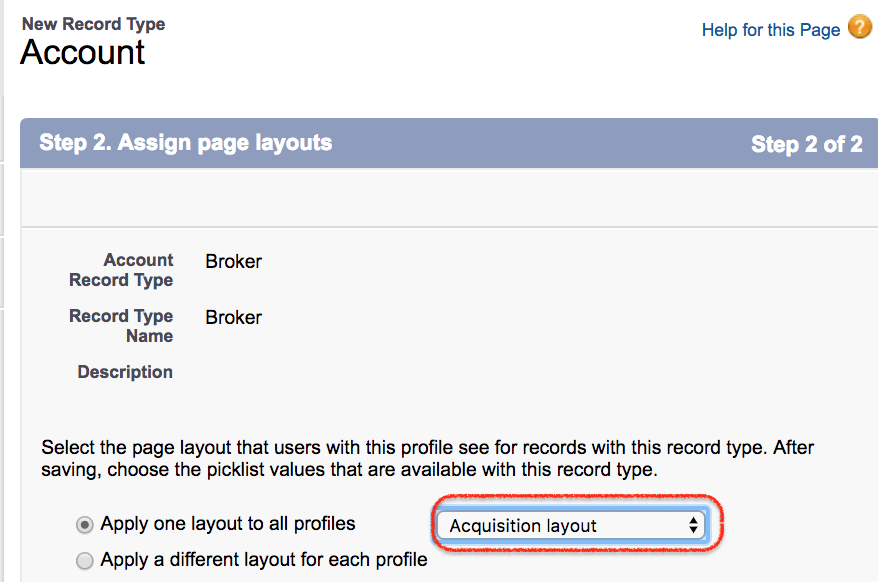
  • Select the page layout as shown above.
  • Click on Save button.
Successfully we have create Salesforce record type and we have to edit picklist values for account Type.
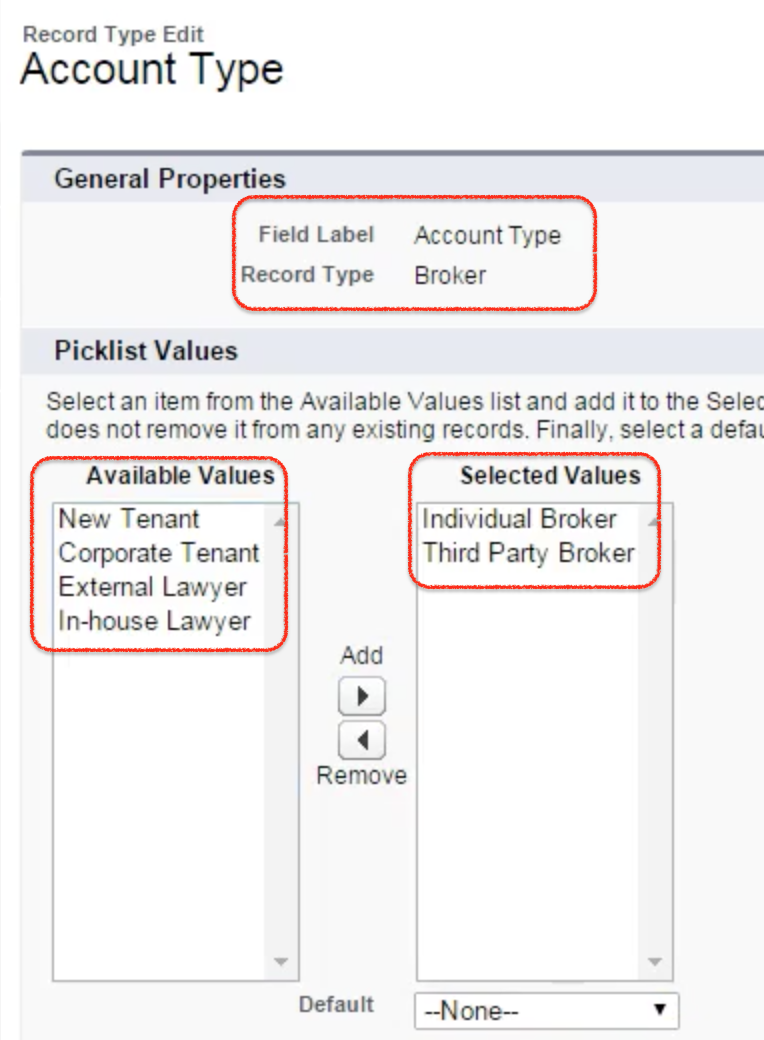
  • Go to Account type and click on Edit button.
Salesforce Record Type | Salesforce Help & Training
Only Individual Broker and third Party Broker are only applicable for Broker. So we have selected those two picklist values for Broker record type.
  • Click on Save button.
Salesforce Record Type | Salesforce Help & Training
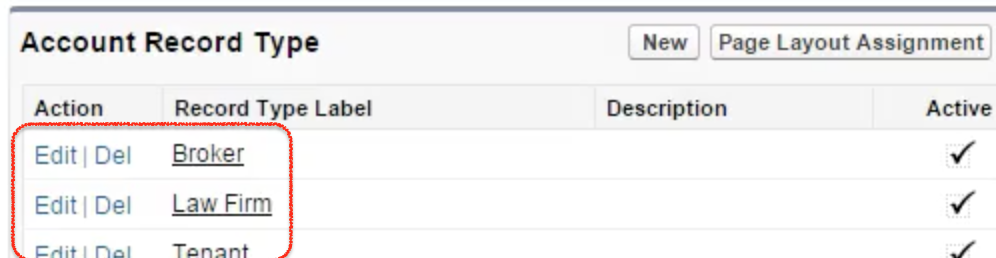
Successfully we have created all the three account record types in salesforce.
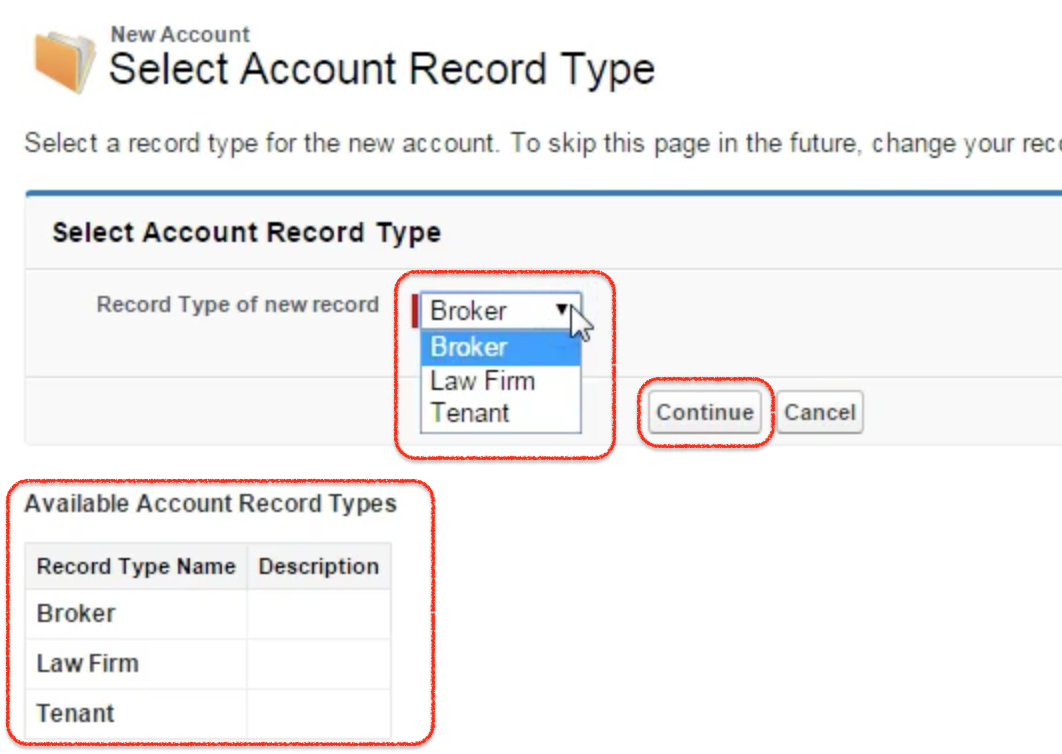
  • To check Record types in Salesforce create new account.
Salesforce Record Type | Salesforce Help & Training
previously when creating an account we don’t see any record types in Salesforce. Now we have to select Salesforce record type to create new account

Read More

Tuesday, October 5, 2010

Salesforce Course Overview

Become an expert Salesforce Developer/Admin by mastering all the core concepts through real-time examples. Our training will enable you to gain in-depth knowledge of CRM administrative features, apex data loader, app exchange, etc., and also offers a real-world experience to easily develop and manage applications. All this knowledge will help you in clearing the Salesforce certification exam.


Read More

Social Profiles

Twitter Facebook Google Plus LinkedIn RSS Feed Email Pinterest

Traffic

Popular Posts

Powered by Blogger.

BTemplates.com

Blogroll

Copyright © Salesforce | Powered by Blogger
Design by Lizard Themes | Blogger Theme by Lasantha - PremiumBloggerTemplates.com

Welcome To Salesforce Tutorial